Chapter Tool PRO
Professional Marker Management, WebVTT Export & Metadata Delivery for Final Cut Pro
Chapter Tool PRO transforms Final Cut Pro markers into professional delivery assets for modern post-production workflows.
Generate YouTube chapters, WebVTT chapter files for Microsoft Stream and SharePoint, editorial reports, CSV production logs, TXT spotting sheets, and searchable revision databases — all directly from your FCPXML.
Built for editors, assistant editors, post-production supervisors, educators, and enterprise media teams, Chapter Tool PRO bridges the gap between timeline metadata and real-world delivery workflows.
Modern corporate video platforms cannot read chapter metadata embedded directly inside MP4 or MOV files.
Chapter Tool PRO solves this limitation by converting Final Cut Pro chapter markers into standards-compliant WebVTT (`.vtt`) chapter files compatible with Microsoft Stream, SharePoint, Vimeo, Learning Management Systems (LMS), and modern HTML5 video players.
When delivered alongside a rendered video, the generated `.vtt` file automatically enables interactive chapter navigation on supported platforms.
Perfect for: E-learning lessons, internal corporate training, webinar archives, tutorial libraries, educational content, conference recordings, and internal communications.
Why Upgrade to PRO Version?
Unlike the standard version, Chapter Tool PRO is designed for advanced editorial workflows, metadata visibility, enterprise delivery, and production reporting.
PRO features include:
- WebVTT Export for Enterprise & E-Learning: Export Final Cut Pro chapter markers as standard `.vtt` files compatible with Microsoft Stream, SharePoint, Vimeo, LMS platforms, and HTML5 video players.
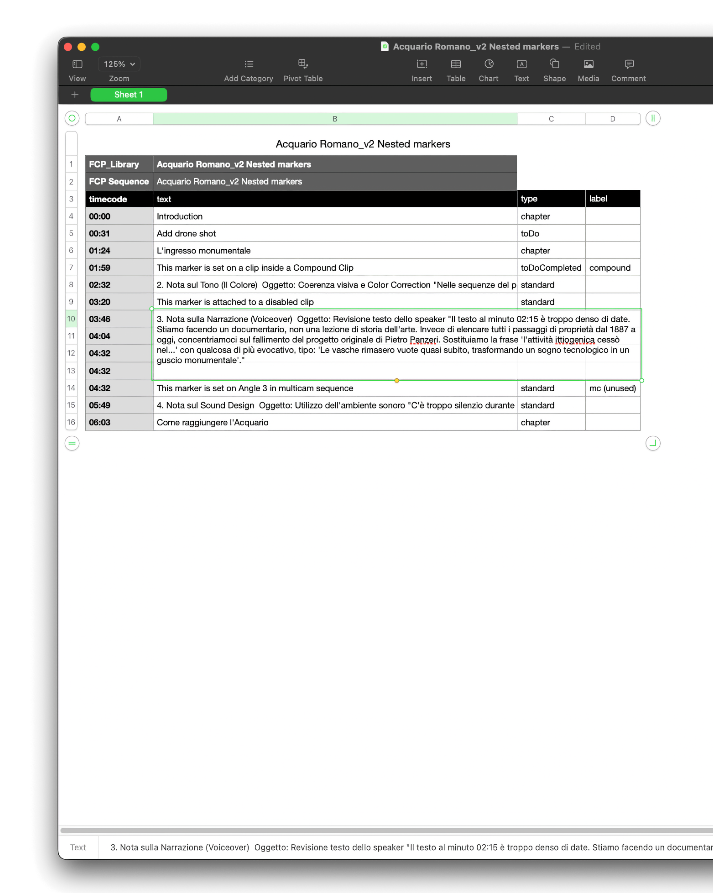
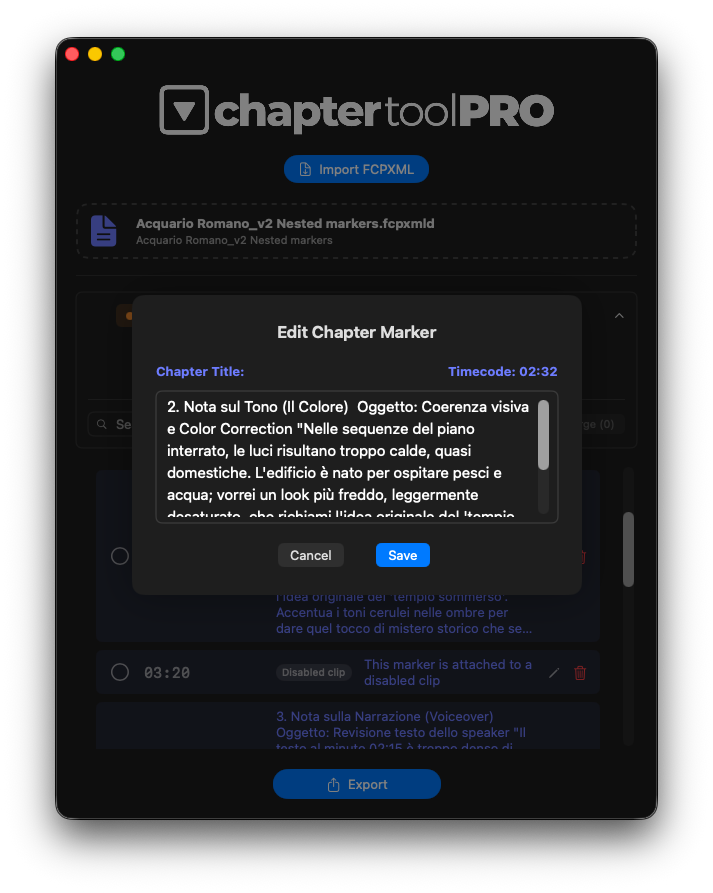
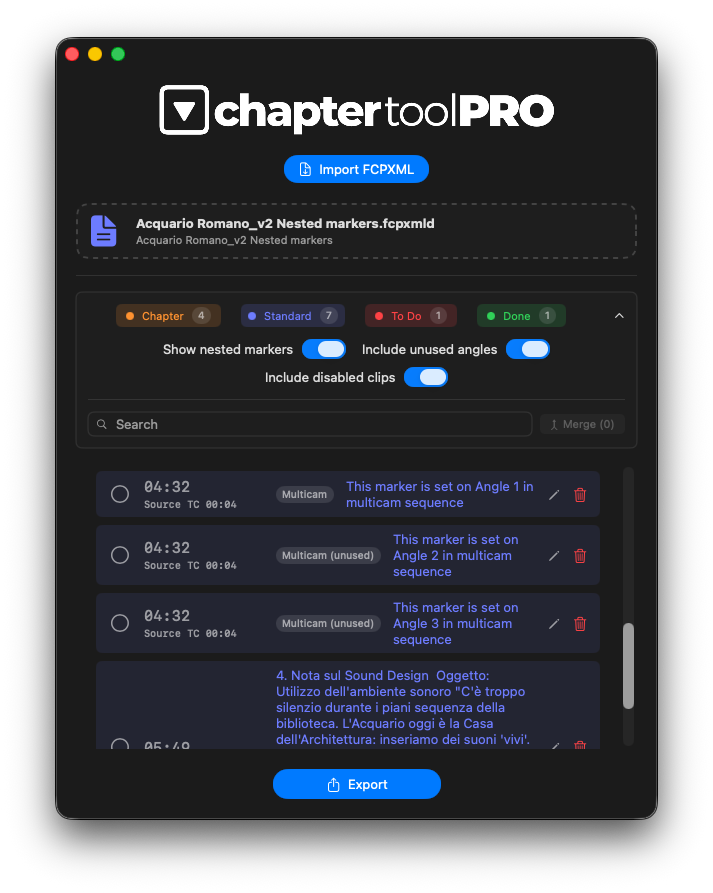
- Nested & Multicam Marker Support: Reveal and export markers hidden inside Compound Clips, Multicam clips, and Sync clips, including inactive multicam angles and disabled clips.
- Advanced Edit Notes Management: Transform timeline annotations into structured editorial intelligence for directors, producers, assistants, VFX teams, sound designers, and colorists.
- Multi-Format Export Engine: Generate YouTube chapters, WebVTT chapter files, CSV spreadsheets, TXT spotting sheets, and production reports from the same Final Cut Pro timeline.
- Intelligent Marker Filtering: Filter markers dynamically by category, search terms, nested visibility, disabled clips, or workflow stage.
- Platform-Aware Export Logic: Includes automatic validation for YouTube chapters and standards-compliant WebVTT generation for enterprise delivery platforms.
Key Features
Professional Marker Categories
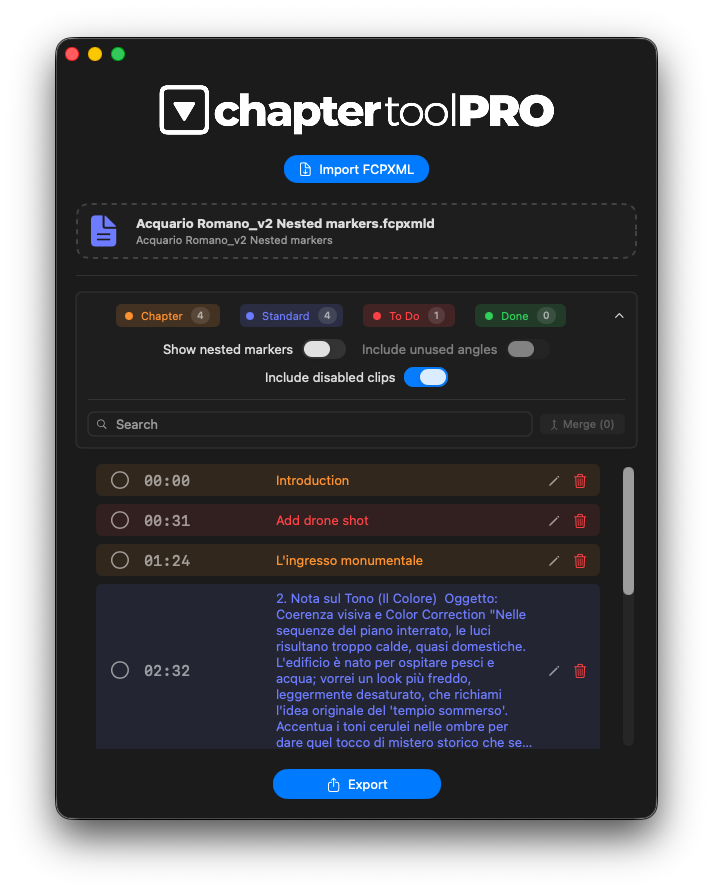
Chapter Tool PRO organizes markers into four professional categories:
- Chapter
- Standard
- To Do
- Done
This allows editors and production teams to isolate workflow stages, revision states, and delivery tasks with precision.
Deep FCPXML Compatibility
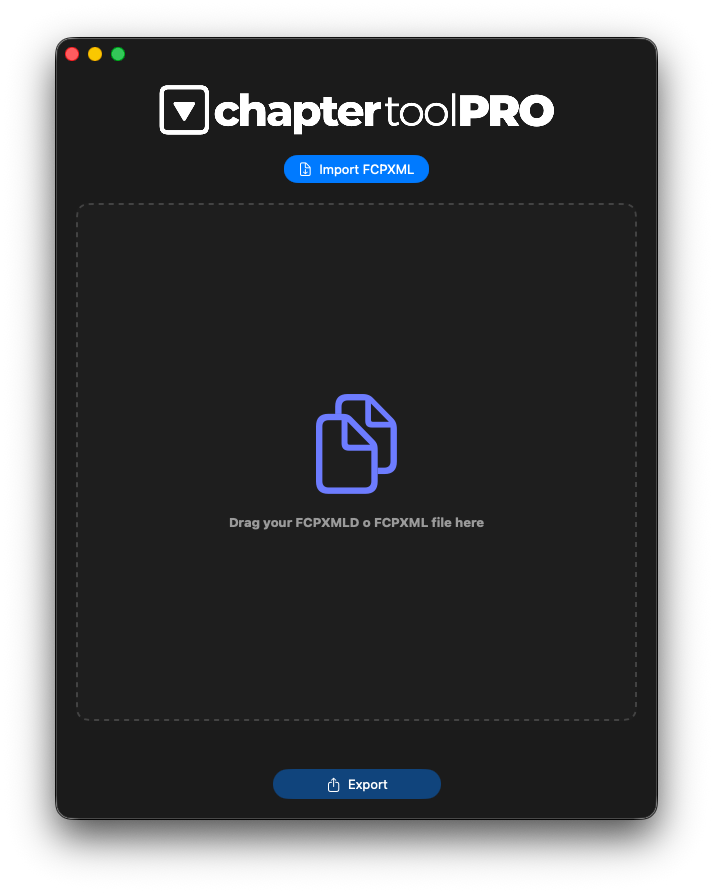
Built on a dedicated FCPXML parsing engine optimized for modern Final Cut Pro workflows.
The application accurately interprets compound clips, multicam structures, sync clips, nested timelines, transitions, and complex editorial hierarchies while maintaining frame-accurate timecode calculations across all supported frame rates.
WebVTT Export for Microsoft Stream & Web Players
Export Final Cut Pro chapter markers as properly formatted WebVTT sidecar files.
The export engine automatically:
- Converts frame-based markers into duration-based WebVTT chapter cues
- Generates frame-accurate timestamps
- Prevents overlapping chapter ranges
- Produces standards-compliant `.vtt` files optimized for maximum compatibility
Designed for:
- Microsoft Stream
- Microsoft SharePoint
- Vimeo
- HTML5 video players
- LMS platforms
YouTube Chapter Export
Generate YouTube-ready chapter lists instantly using the Copy to Clipboard workflow.
Automatic validation includes:
- Start point verification at `00:00`
- Minimum chapter duration checks
- Platform-aware formatting
- Safe rounding modes for clean timestamps
Nested markers can optionally be included and automatically remapped to the primary timeline.
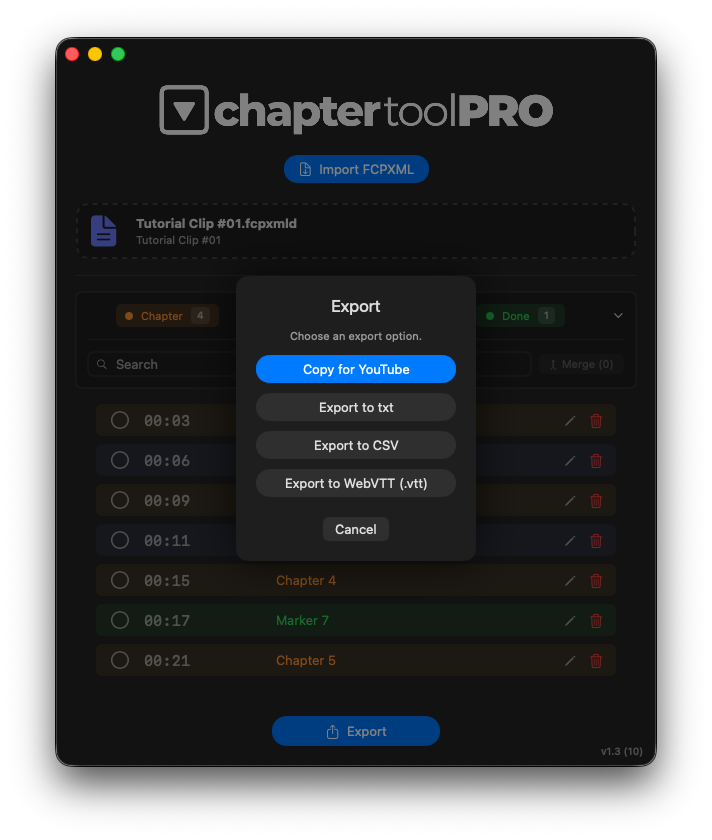
CSV & TXT Reporting
Export timeline metadata into professional production documents.
Perfect for:
- Edit notes
- VFX tracking
- Color references
- Production databases
- Revision tracking
- Spotting sheets
- Change lists
Search, Filtering & Marker Editing
Chapter Tool PRO includes advanced workflow tools for large editorial projects:
- Instant text search
- Expand/collapse marker view
- Marker editing panel
- Dynamic category filtering
- Merge consecutive markers
- Nested marker visibility controls
Designed to remain clear and readable even in metadata-dense productions.
Technical Highlights
Frame-Accurate Timecode Engine
Chapter Tool PRO reads the native frame rate of each Final Cut Pro sequence directly from the FCPXML and applies it consistently across all exports.
The engine supports both drop-frame and non-drop-frame workflows while maintaining long-duration timing accuracy and stable frame-based calculations.
Sandboxed & Privacy-Friendly
Chapter Tool PRO operates entirely within the macOS sandbox environment.
The application only accesses files explicitly selected by the user and performs all parsing locally on-device without transmitting project data externally.
Ideal Use Cases
Chapter Tool PRO is ideal for:
- Professional video editors
- Assistant editors
- Post-production supervisors
- Corporate media departments
- E-learning creators
- Educational institutions
- Internal communications teams
- Webinar production workflows
- Microsoft 365 enterprise environments
Compatibility
Supported Formats
- `.fcpxml`
- `.fcpxmld`
Export Formats
- YouTube Chapters
- WebVTT (`.vtt`)
- CSV
- TXT
System Requirements
- macOS 14.0 or later
- Apple Silicon & Intel compatible
- Optimized for Final Cut Pro 11.1+ and supporting FCPXML up to version 1.13.
Chapter Tool PRO is an independent tool and is not affiliated with, or endorsed by, Apple Inc. Final Cut Pro is a trademark of Apple Inc.
Downloads
Get Chapter Tool Pro
Professional marker management, WebVTT export, metadata delivery, and enterprise-ready reporting for Final Cut Pro.
User Guide
Complete manual with all features and tips to get the most out of Chapter Tool Pro.
Safe & Secure: Registered Apple Developer. All apps are notarized for macOS.