SubVision
Extract. Review. Export.
Turn burned-in subtitles into editable, time-coded SRT files with local OCR, precise review tools, and complete control over the final result.
From Burned-In Text to an Editable SRT
SubVision is a native macOS application for extracting subtitles that are permanently visible in a video image.
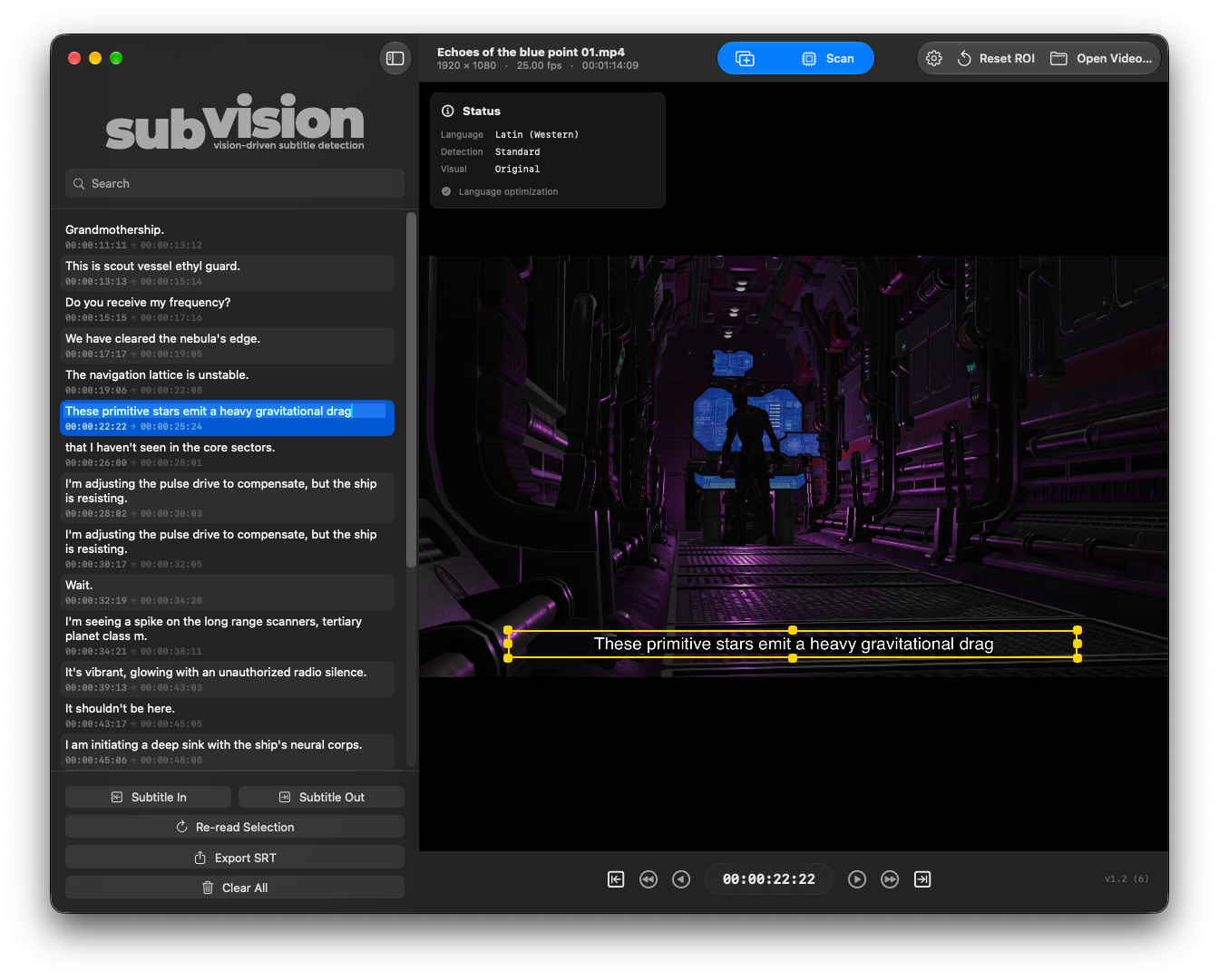
Using Apple’s Vision framework, it analyzes the selected area of the picture locally on your Mac, builds a time-coded caption list, and gives you the tools to review text and timing before export.
Recognition works on the visible video image. SubVision does not extract an existing embedded subtitle track.
When the review is complete, export the full caption list as a standard UTF-8 SubRip file.
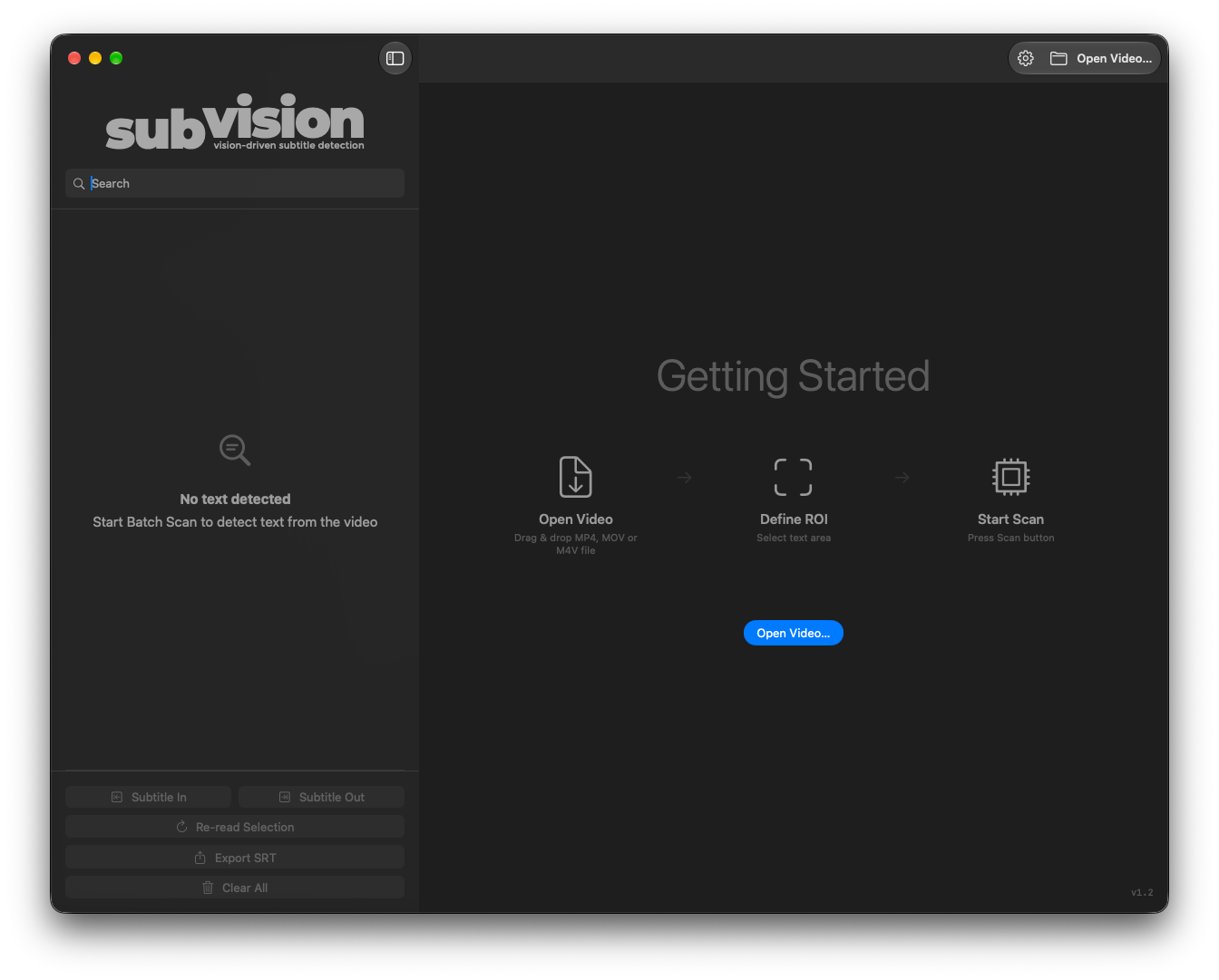
A Clear Workflow from Video to Captions
Open a local video, define where the subtitles appear, choose the recognition settings, and start scanning.
- Open Video or drag and drop — load a supported local video from your Mac or connected storage.
- Define the Region of Interest — isolate the subtitle area and exclude unrelated graphics.
- Choose recognition and language settings — adapt OCR to the source material.
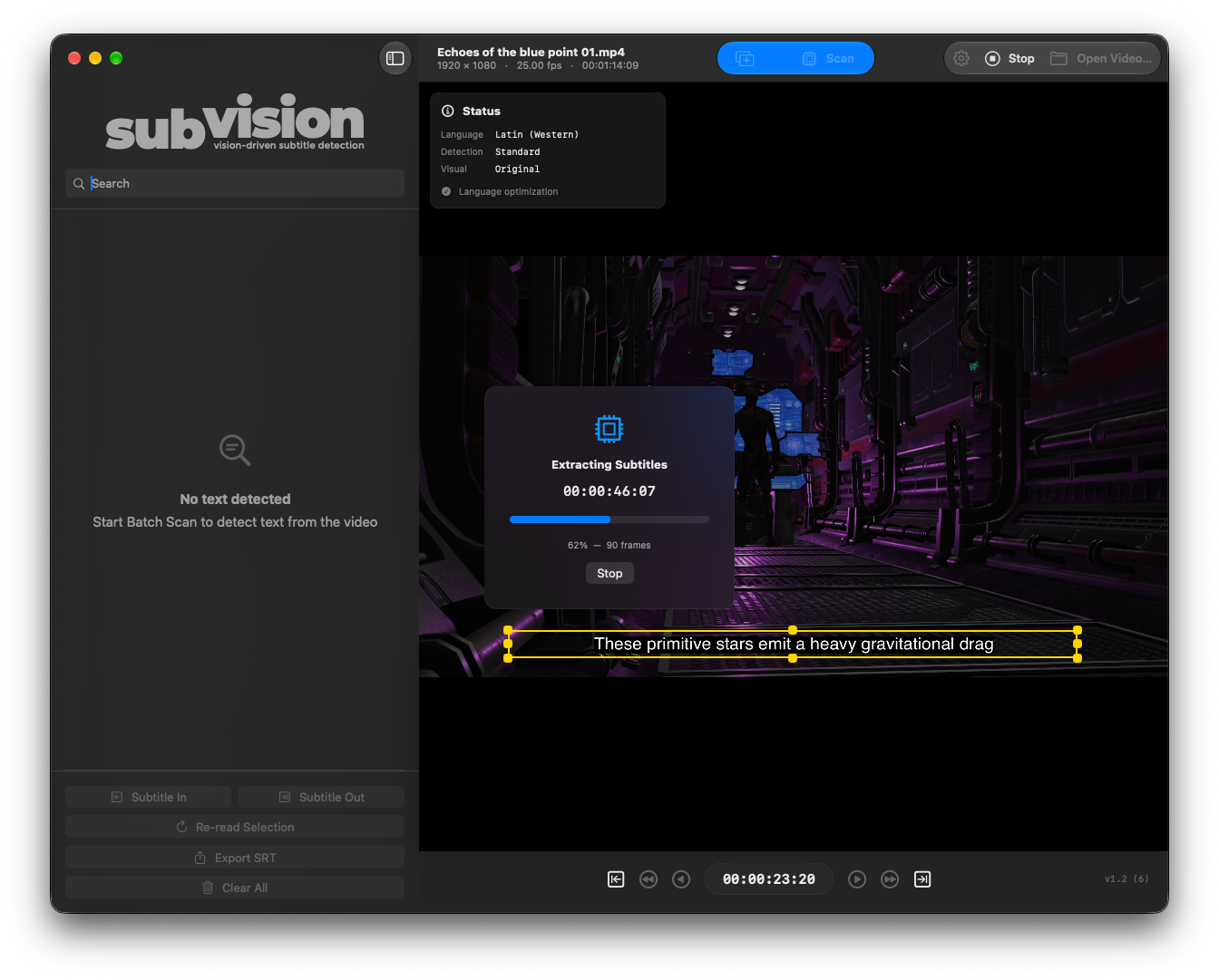
- Scan the full video or a selected range — follow progress through timecode, percentage, and analyzed-frame count.
- Review and export — correct text and timing, then write the complete list to SRT.
Built-in playback, one-second jumps, frame steps, and scan IN/OUT controls make it easy to inspect short tests before committing to a long extraction.
Precision ROI (Region of Interest)
The adjustable yellow Region of Interest determines exactly which part of the video is passed to OCR.
A tight crop around every subtitle line helps SubVision ignore channel logos, watermarks, credits, and background text that could interfere with recognition.
- Eight resize handles — adapt the crop to different subtitle layouts.
- Live cropped preview — check the recognition image before scanning.
- Reset ROI — return to the default region at any time.
- Section-by-section flexibility — adjust the ROI and rescan only the interval where subtitle placement changes.
Scan, Append Scan, and Custom Ranges
Work on an entire video in one pass or process long and difficult material in controlled sections.
- Scan — analyzes the selected range and creates a replacement caption list.
- Append Scan — replaces results inside the chosen interval while preserving captions outside it.
- Scan IN and OUT — define exactly which part of the video should be processed.
- Reliable continuation — resume from saved scan coverage after a completed, interrupted, or failed batch.
- Re-read Selection — reprocess a local interval around a difficult caption using the current settings.
Repeated scans of the same interval update that section instead of creating duplicate copies. Partial results remain available when a scan is stopped.
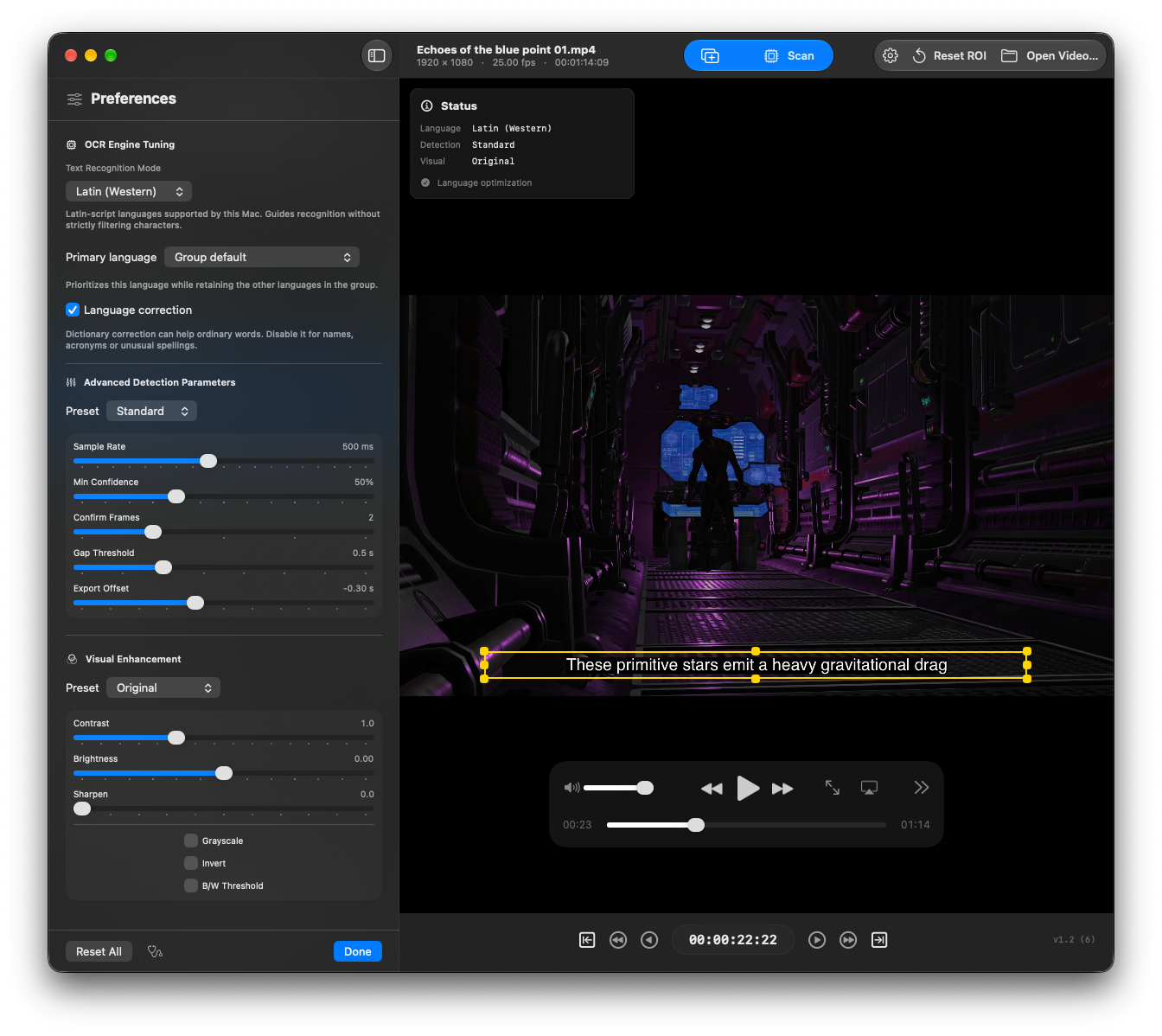
Recognition Groups and Primary Language
Choose a recognition group that matches the source, then give a supported primary language priority when you know it.
- Latin (Western) — supported languages using Latin script.
- Cyrillic — supported Cyrillic-script languages.
- Asian (CJK) — available Chinese, Japanese, and Korean models.
- Arabic — supported Arabic-script language models.
- Universal (Auto) — automatic selection among the languages supported by Vision.
Available models depend on the macOS version and the accurate Vision languages installed on the Mac. Optional language correction can improve ordinary words; turn it off when names, abbreviations, or unusual spellings need to remain untouched.
Detection Presets and Image Enhancement
Start with a preset, then tune recognition for brief captions, faint text, compression, motion, or complex backgrounds.
- Standard, Precision, and Hardcore — starting points for detection timing and confidence.
- Advanced detection controls — adjust Sample Rate, Min Confidence, Confirm Frames, and Gap Threshold.
- Original, Enhanced, and High Contrast — ready-made visual presets.
- Custom image controls — tune contrast, brightness, sharpen, grayscale, invert, and black-and-white threshold.
Enhancement is applied only to the cropped recognition image. It never alters playback media or the original video file.
Review, Search, and Warnings
Recognition is the starting point. SubVision keeps review focused before you publish or return the subtitles to an edit.
- Search — filter caption text without changing the stored list or the final export.
- Warnings only — isolate low-confidence captions, nearby recognition failures, and incomplete results at a stopping boundary.
- Inline editing — correct recognized text directly in the sidebar.
- Subtitle In and Out — refine timing at the playhead or create a manual caption when none is selected.
- Re-read Selection — revisit difficult passages with updated OCR settings.
Selecting a caption seeks the video to its start, making text and timing checks immediate. Always review the result: a high confidence score is not proof that every word is correct.
Professional SRT Export
Export writes the complete valid caption list as a UTF-8 SubRip file, including captions currently hidden by Search or Warnings only.
- Ordered, sanitized entries — invalid or empty captions are excluded and overlapping boundaries are corrected.
- Millisecond timestamps — produce standard, accurately formatted SRT timing.
- Export Offset — apply a global timing shift when writing the file without changing the displayed list.
- Safe-exit protection — SubVision prompts before opening another video, closing the window, or quitting when captions still need export.
Diagnostics and Privacy
Built for reliability and designed around local processing.
- Local OCR — subtitle recognition runs on your Mac through Apple’s Vision framework.
- No media upload — source videos and extracted captions are not sent to external servers.
- Sandboxed file access — SubVision accesses videos and export destinations selected by you.
- Diagnostics Report — inspect source-file access, bookmark and media status, and current-session diagnostics when troubleshooting.
The app keeps the working session in memory. It does not currently save or reopen a SubVision project, so export the SRT before leaving the app if the captions need to survive the session.
Read the SubVision Privacy Policy.
System Requirements
- macOS 14.0 or later
- A locally accessible video file with a codec supported by AVFoundation
- Available OCR languages and models depend on the installed macOS version
Licensing
- Available on the Mac App Store
- Purchases and account licensing are managed by Apple
- Eligible Macs signed in to the purchasing account can download the app again through App Store purchase history, subject to Apple’s rules and availability
SubVision is an independent application and is not affiliated with or endorsed by Apple.
Downloads
Get SubVision
Extract burned-in subtitles locally, review text and timing, and export a clean SRT file.
User Guide
Complete guide for SubVision 1.2, including OCR setup, scan ranges, Append Scan, review, export, privacy, and troubleshooting.
Safe & Secure: Registered Apple Developer. All apps are notarized for macOS.