Caption Tool
Professional subtitle, translation and title workflows for Final Cut Pro.
Convert, translate, edit and export subtitles across professional post-production pipelines.
Turn captions into animated Final Cut Pro titles, use compatible custom templates, process multiple sequences in batch, or extract subtitles from existing title-based workflows — all from a streamlined macOS application.

Designed for modern Final Cut Pro subtitle pipelines.
Caption Tool is a professional macOS utility designed for editors, broadcasters, localization professionals, creators and motion designers working with subtitles, captions and title systems inside Final Cut Pro.
Unlike standard subtitle converters, Caption Tool understands:
- FCPXML structure
- Roles and Subroles
- Title clips
- Caption lanes
- Multiple sequences
- Timeline reconstruction
- Final Cut Pro and Motion template workflows
Import subtitle files, convert existing title-based projects back into captions, generate animated title systems, translate content, and manage localization workflows from a single application.
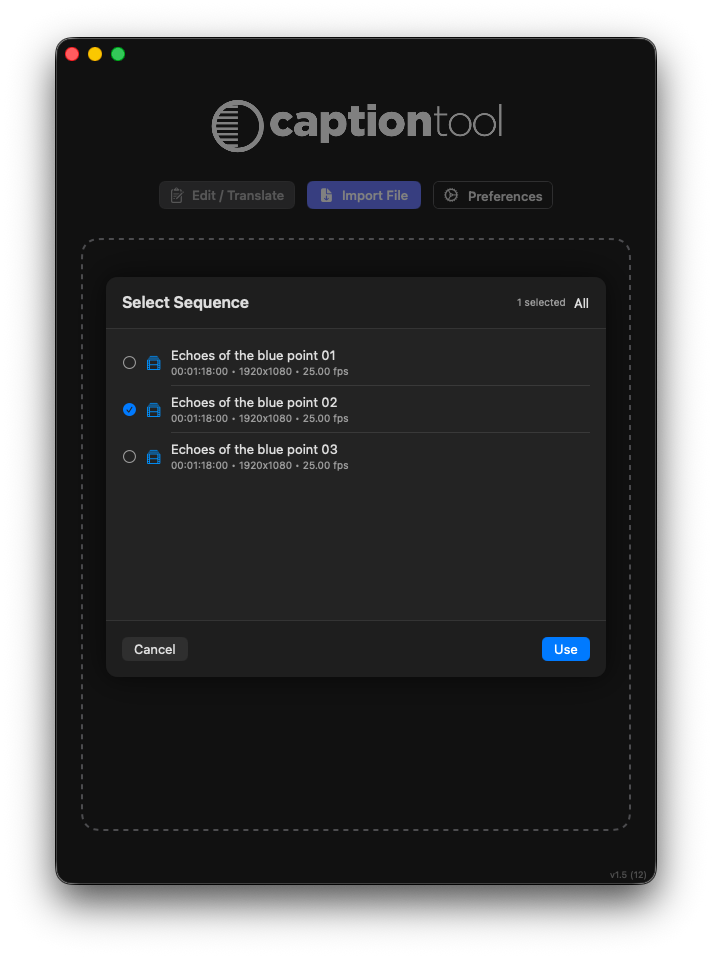
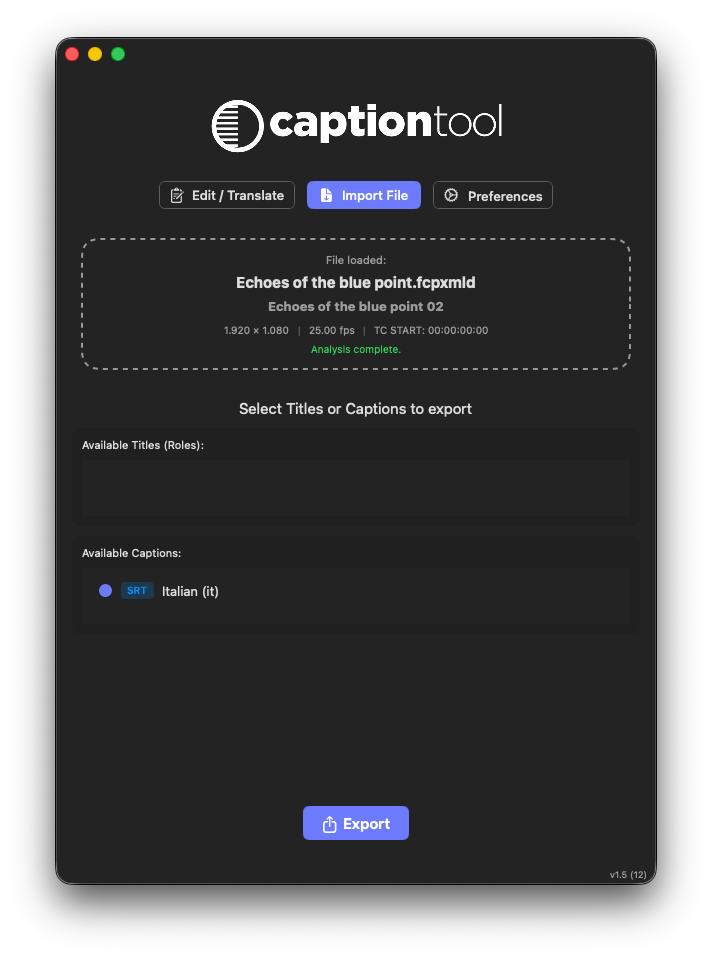
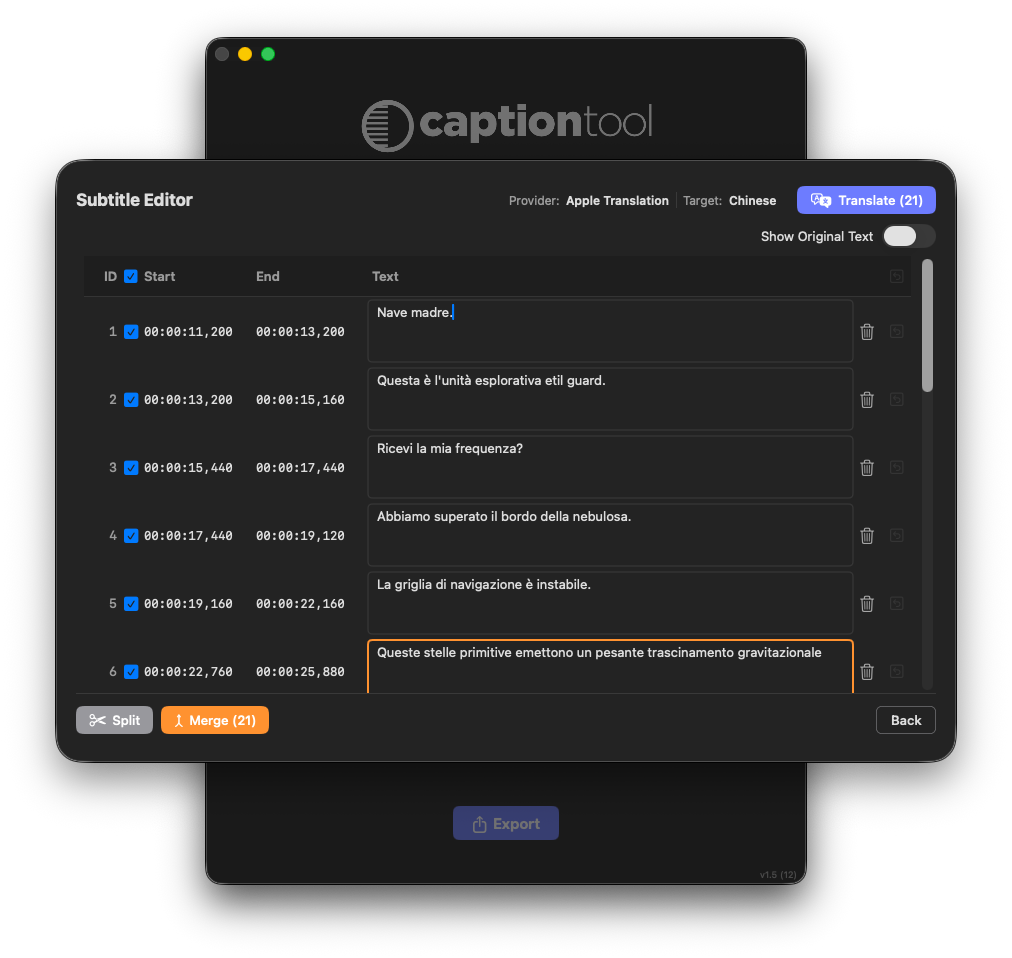
Convert captions into titles. Or titles back into subtitles.
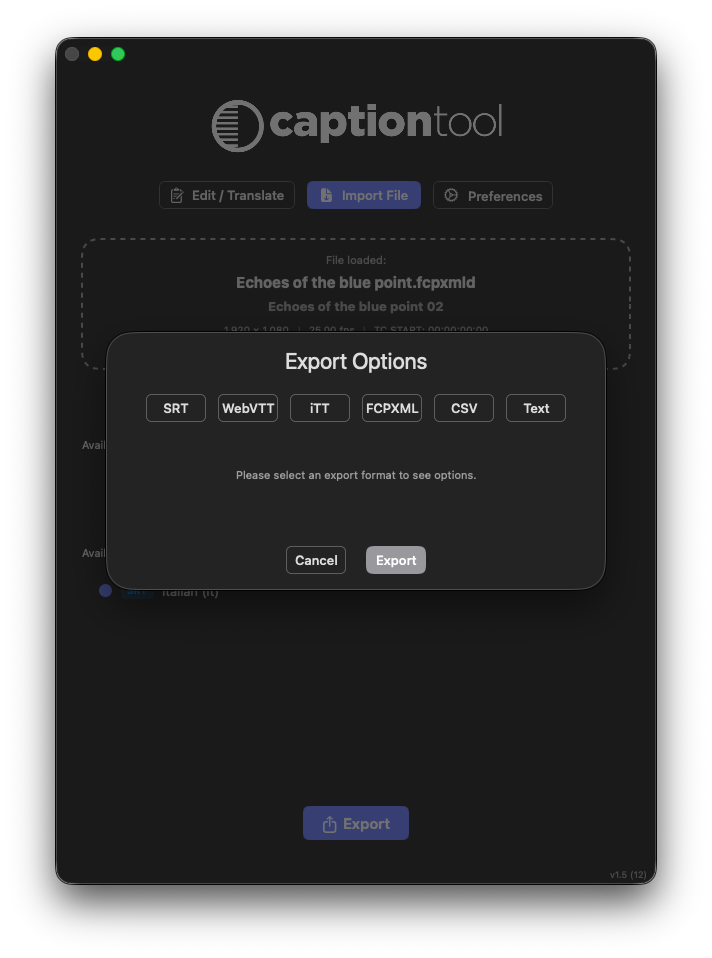
Caption Tool supports bidirectional workflows between standard subtitle formats and Final Cut Pro title systems.
Supported formats:
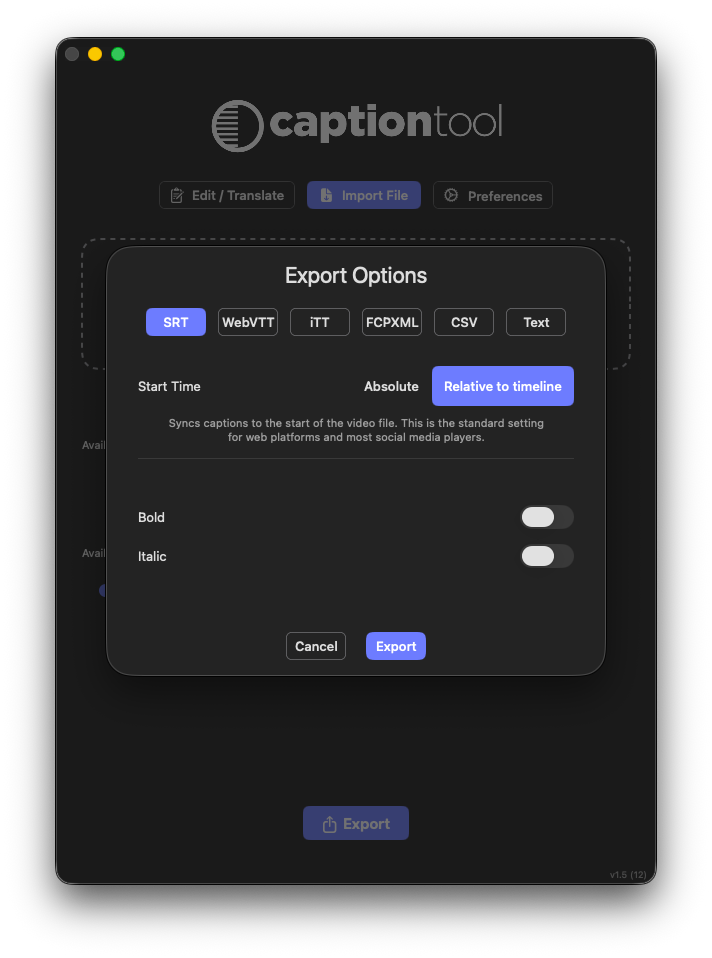
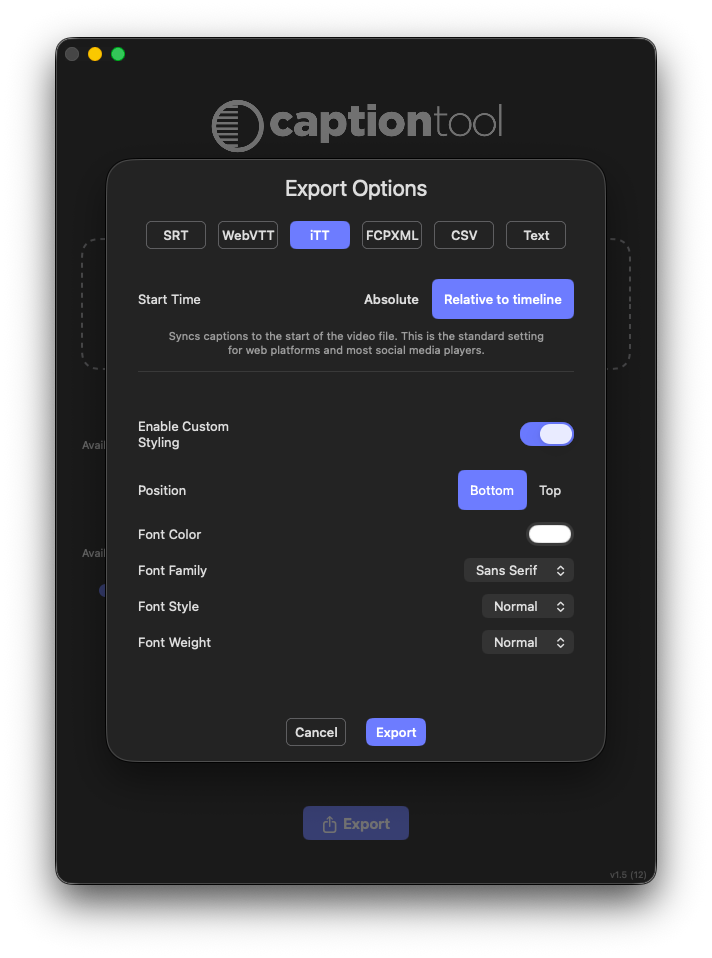
- SRT
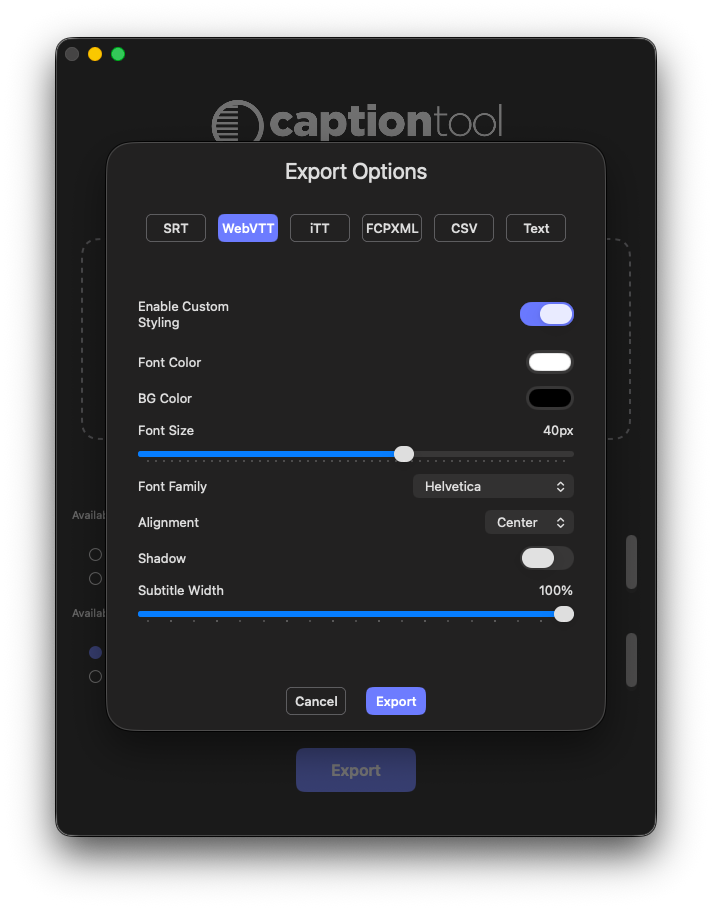
- WebVTT
- iTT
- CSV
- TXT
- FCPXML / FCPXMLD
Supported workflows:
- Subtitle → Final Cut Pro Titles
- FCP Titles → SRT / WebVTT / iTT
- Caption extraction from FCPXML
- Multi-sequence Batch Export
- Translation and localization workflows
- Spreadsheet-based review
Perfect for creators, broadcasters, localization teams, agencies and motion graphics workflows.
Translate subtitles with Apple Translation and AI.
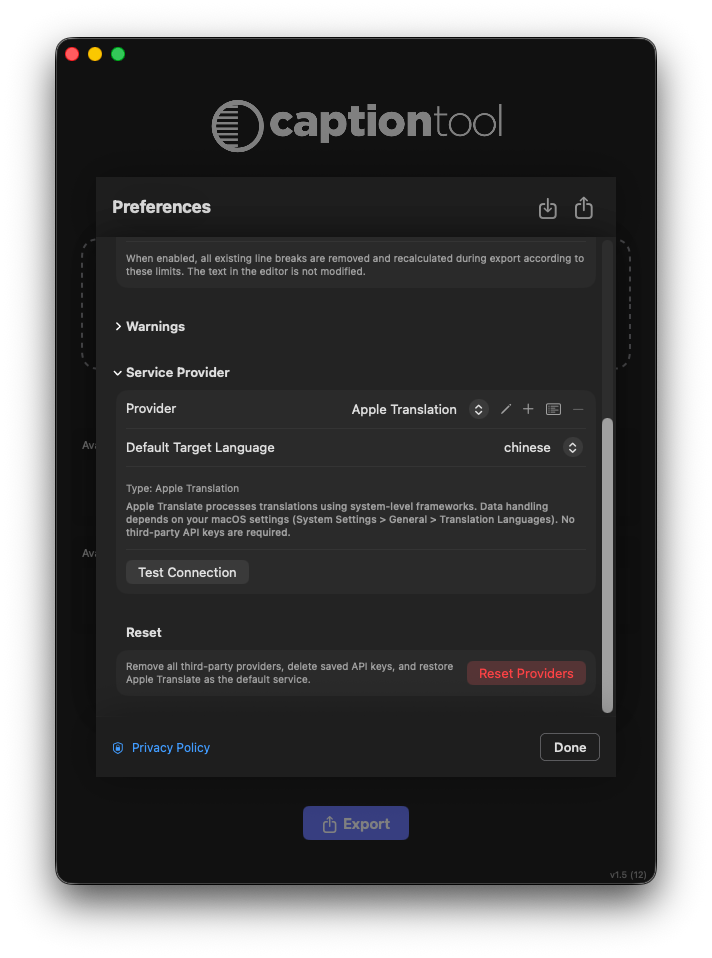
Translate subtitle projects directly inside Caption Tool using:
- Apple Translation
- DeepL
- OpenAI
- Anthropic Claude
- Google Gemini
- LibreTranslate
- Compatible custom providers
Caption Tool manages languages independently for each provider and supports language-specific workflows including Simplified and Traditional Chinese.
Context-aware translation can use neighboring captions to improve dialogue continuity and translation consistency.
Review original and translated text side by side, make manual corrections, and immediately identify edited or translated captions in the Subtitle Editor.
Translation quality depends on the selected provider and should always be reviewed before professional delivery or broadcast use.
Native Apple Translation integration.
Caption Tool integrates directly with Apple Translation on macOS.
No third-party API key or external translation-provider account is required.
Caption Tool validates the required Apple Translation language resources, including during multi-sequence Batch Export workflows.
Language availability depends on the translation resources supported and installed by macOS.
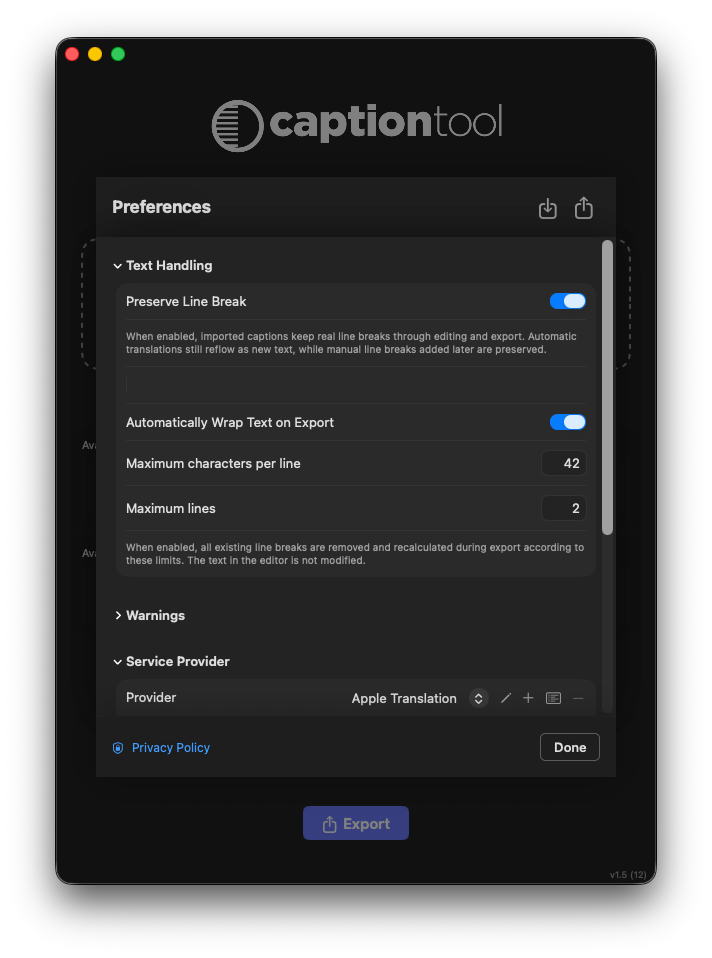
Smarter subtitle editing and validation.
Edit captions directly inside Caption Tool using tools for:
- Manual text editing
- Merge and Split
- Delete and Restore
- Reset
- Translation review
- Original vs. translated text comparison
Clear visual feedback makes caption states immediately recognizable.
Edited or translated captions use a subtle indigo background, while captions exceeding the configured character limit are identified by an orange border.
Long-line warnings update automatically while you edit, translate, Merge, Split, Reset, Delete or Restore captions.
Automatic text wrapping for cleaner exports.
Caption Tool can automatically prepare subtitle text before export using configurable:
- Maximum line length
- Maximum number of lines
When wrapping is enabled, Caption Tool recalculates line breaks according to the current export settings.
The wrapping engine preserves punctuation, emoji, URLs and Unicode grapheme clusters.
CJK-aware handling provides appropriate wrapping behavior for Chinese and Japanese subtitles, avoiding inappropriate character and punctuation breaks.
Transform captions into Final Cut Pro titles.
Turn subtitle tracks into Final Cut Pro title and subtitle systems through native FCPXML workflows.
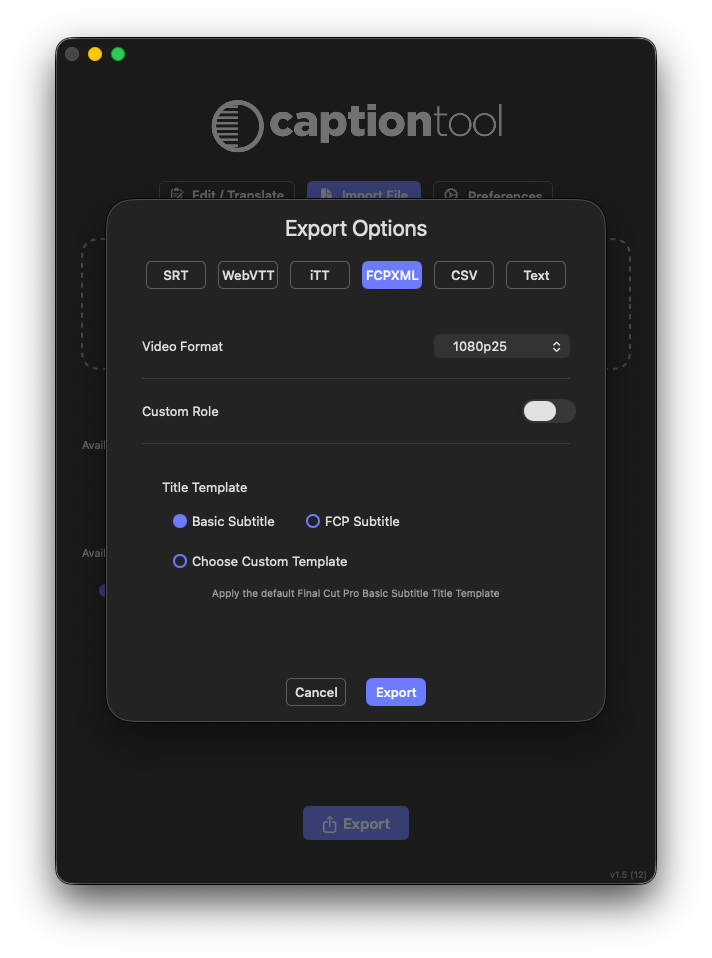
Choose between:
- Basic Title
- FCP Subtitle
- Custom Final Cut Pro title templates
Use Basic Title for straightforward title generation, or transform captions into animated graphics using your own compatible Final Cut Pro title templates.
FCP Subtitle — ready for Final Cut Pro 12.3.
Caption Tool supports the native subtitle template available in Final Cut Pro 12.3.
Select FCP Subtitle during FCPXML export to generate a workflow compatible with Final Cut Pro's native subtitle system.
Once imported into Final Cut Pro, fonts, sizes and styling can be managed efficiently across the subtitle system.
Use your own Final Cut Pro title templates.
Caption Tool can work with compatible Final Cut Pro and third-party Motion title templates.
Preserve the design, styling and animation of your title template while automatically populating it with caption text.
Learn compatible templates through FCPXML and reuse them for future subtitle projects.
Create:
- Animated subtitles
- Broadcast graphics
- Social captions
- Vertical video titles
- Localized title packages
- Branded caption systems
Advanced text field mapping.
Some Final Cut Pro and third-party templates contain multiple editable text fields.
Caption Tool automatically analyzes compatible template structures and lets you choose which text field receives the caption content.
Features include:
- Editable field detection
- Text field selection
- Placeholder preview
- Automatic template analysis
- Clear Other Fields support
- Third-party template compatibility
This makes complex Motion templates practical for automated caption and title generation.
Batch export multiple sequences.
Import an FCPXML or FCPXMLD containing multiple sequences and process entire subtitle deliveries in a single workflow.
Select the sequences, caption roles and title roles you want to process.
Batch Export supports:
- Multi-sequence processing
- Translate Before Export
- Multiple export formats
- Automatic per-project format preservation
- Forced batch format overrides
- Translation language suffixes
- Partial-failure reporting
- Apple Translation language-pack validation
Ideal for studios, agencies, broadcasters and localization teams working with multiple program versions or high-volume subtitle deliveries.
Improved CSV collaboration.
Export subtitle data to CSV for review and editing with Apple Numbers, Microsoft Excel and other spreadsheet applications.
Caption Tool supports common variations introduced by spreadsheet software, including:
- Alternative separators
- Different text encodings
- Multiline cells
- Byte Order Marks
- Reordered columns
Edit subtitle text externally and bring the CSV back into your Caption Tool workflow.
Plain-text export is also available for transcripts, editorial review and localization reference.
Privacy and secure provider management.
Caption Tool operates within the macOS sandbox and processes files locally whenever external services are not required.
When you explicitly initiate a translation using a third-party provider, only the text required for translation is sent to the selected service. Video files, Final Cut Pro project media and unrelated project content are not transmitted.
Third-party API keys are securely stored in the macOS Keychain and are not included in exported preferences or project data.
A direct link to the Caption Tool Privacy Policy is available in Preferences.
External translation services are subject to their respective terms and privacy policies.
Technical Specifications
Requirements
- macOS 15.5 or later
- Apple Silicon or Intel Mac
- Final Cut Pro 11 or later
- Final Cut Pro 12.3 or later for the FCP Subtitle workflow
Final Cut Pro XML
- FCPXML / FCPXMLD import workflows
- Import parser compatible with FCPXML 1.10-1.13 structures
- FCPXML 1.13 export
FCPXML 1.14 is not currently declared as a fully supported native Caption Tool format.
Supported Formats
Import and export workflows include:
- SRT
- WebVTT
- iTT
- CSV
- TXT
- FCPXML / FCPXMLD
Professional subtitle workflows for Final Cut Pro.
Get Caption Tool
Convert, translate and transform subtitle workflows with Caption Tool.
FCP Title samples
Free Templates: Download my FCP Title samples and start animating your projects with Caption Tool immediately.
User Guide
Complete manual with all features and tips to get the most out of Caption Tool.
Convert, translate and transform subtitle workflows with Caption Tool.